
The truth about how ceiling fans actually affect your College Park cooling bills
Let me cut straight to the chase. Ceiling fans do not cool your room. They cool you. That’s the fundamental truth most homeowners miss. In College Park’s humid Orlando climate, understanding this difference can save you real money on your electric bills while keeping your home comfortable.
Here’s how it works: a ceiling fan creates a wind-chill effect on your skin. The moving air accelerates sweat evaporation, making you feel cooler without actually changing the room temperature. This means you can raise your thermostat by about 4 degrees without sacrificing comfort. That’s where the savings kick in.
Let me show you the numbers. A standard Energy Star ceiling fan uses about 60 watts on high speed. Your central AC system? It’s drawing between 3,000 and 5,000 watts. That’s a massive difference in energy consumption. When you raise your thermostat by 4 degrees and use fans instead of lowering the AC, you’re running a much smaller motor while still feeling comfortable. Energy Department ceiling fan efficiency guide.
But here’s where College Park homes face a unique challenge. Many of these mid-century bungalows have high ceilings and open floor plans that trap heat. The wind-chill effect helps, but it doesn’t solve the humidity problem. Orlando’s year-round dew point issues mean that when indoor humidity climbs above 60%, fans alone won’t cut it. Your AC acts as a dehumidifier, removing moisture from the air. Without that dehumidification, you’ll feel sticky even with fans running.
The solution isn’t choosing between fans or AC. It’s using both strategically. Run your ceiling fans on medium speed in occupied rooms while setting your thermostat to 78 degrees instead of 74. This combination gives you the wind-chill comfort while your AC handles the humidity and temperature control. The fans circulate the cool, dehumidified air throughout the room, making the entire space feel more comfortable.
Now let me show you exactly how this plays out in a typical College Park home.
The math behind ceiling fans and AC efficiency
Let’s break down the actual energy consumption. A standard ceiling fan running 24/7 uses about 1.44 kWh per day. Your 3-ton AC unit running for the same period? That’s around 72 kWh per day. The fan costs you about 18 cents daily at current Orlando rates. The AC? Around $9.00 daily. That’s a 50-to-1 difference in energy consumption.
Here’s where it gets interesting. When you raise your thermostat from 74 to 78 degrees and use fans to maintain comfort, you’re not just saving on the 4-degree temperature difference. You’re also reducing the AC’s runtime. In many cases, this combination can cut your cooling costs by 15-20% without any sacrifice in comfort.
But there’s a catch. Not all ceiling fans are created equal. The blade pitch matters. A 12-degree blade pitch moves more air than a 10-degree pitch, but it also draws more power. DC motor fans are more efficient than AC motor fans, using up to 70% less energy while moving the same amount of air. Look for Energy Star certification when shopping for fans.
Let me show you a comparison of different fan types and their efficiency:
| Fan Type | Watts (High) | CFM (High) | Efficiency (CFM/Watt) | Energy Star Certified |
|---|---|---|---|---|
| Standard AC Motor | 75 | 4,500 | 60 | No |
| DC Motor Premium | 35 | 5,000 | 143 | Yes |
| Basic Indoor | 60 | 3,500 | 58 | Sometimes |
| Outdoor Rated | 70 | 4,200 | 60 | Often |
As you can see, the DC motor premium fans deliver significantly more air movement per watt of electricity. Over a summer season, that efficiency difference can save you another $20-30 on your electric bill.
Now let’s talk about installation specifics for College Park homes.
College Park ceiling fan installation considerations
Many College Park homes were built in the 1950s and 1960s with 8-foot ceilings. This creates specific challenges for fan installation. The National Electrical Code requires ceiling fans to hang at least 7 feet above the floor. In rooms with standard 8-foot ceilings, you’re left with very little clearance.
The solution? Use a fan with a 3-4 inch downrod instead of the standard 6-inch rod. This keeps the blades at the optimal height for air movement while maintaining code compliance. Some older homes have sloped ceilings or cathedral ceilings. These require angled mounting kits and longer downrods to keep the fan balanced and safe.
Let me walk you through the diagnostic process we use when evaluating a College Park home for ceiling fan installation:
- Measure Ceiling Height
Verify minimum 7-foot clearance from floor to blade bottom. Measure from highest point if ceiling is sloped.
- Check Electrical Box Rating
Ensure the existing box is rated for ceiling fan support (marked “FC” or “fan-rated”). Standard light boxes won’t hold a moving fan.
- Evaluate Room Size vs. Fan Diameter
Rooms under 75 square feet need 29-36 inch fans. Medium rooms (76-144 sq ft) need 36-42 inch fans. Large rooms need 44-54 inch fans.
- Assess Humidity Exposure
Rooms with windows or outdoor access may need moisture-rated fans to prevent corrosion in Orlando’s humid climate.
- Verify Wall Switch Compatibility
Ensure the existing switch can handle the fan’s amperage draw. Some older switches may need replacement.
Skipping any of these steps can lead to problems. I’ve seen fans literally pull out of the ceiling because someone installed them in a standard electrical box. That’s not just annoying – it’s dangerous.
Let me show you what proper installation looks like:

Photo showing a properly installed ceiling fan with correct downrod length, fan-rated electrical box, and secure mounting bracket in a College Park home.
The 4-degree rule: Your College Park savings formula
Here’s where we get specific to Orlando’s climate and utility rates. Duke Energy and OUC (Orlando Utilities Commission) currently charge between 13-16 cents per kilowatt-hour depending on your plan and time of use.
Let’s calculate a typical summer month for a College Park home:
Scenario A (No Fans, AC at 74°F):
Your AC runs 8 hours per day at 4,000 watts = 32 kWh daily = $4.80 per day in cooling costs.
Scenario B (Fans + AC at 78°F):
Ceiling fans use 1.44 kWh daily = $0.22
Your AC runs 6 hours per day at 4,000 watts = 24 kWh = $3.60 per day
Total daily cost for Scenario B: $3.82
Daily savings: $0.98
Monthly savings (30 days): $29.40
That’s real money back in your pocket. Over a 5-month cooling season, you’re looking at about $147 in savings. The fans themselves cost between $100-300 each, so they pay for themselves in 1-3 cooling seasons.
But here’s the College Park-specific twist. Many homes in this area have older ductwork that leaks. When you raise your thermostat by 4 degrees, you’re also reducing the strain on your entire HVAC system. This can extend the life of your compressor and reduce repair calls. Heat Pump Repair & Installation.
Let me show you how to optimize your fan placement for maximum efficiency:
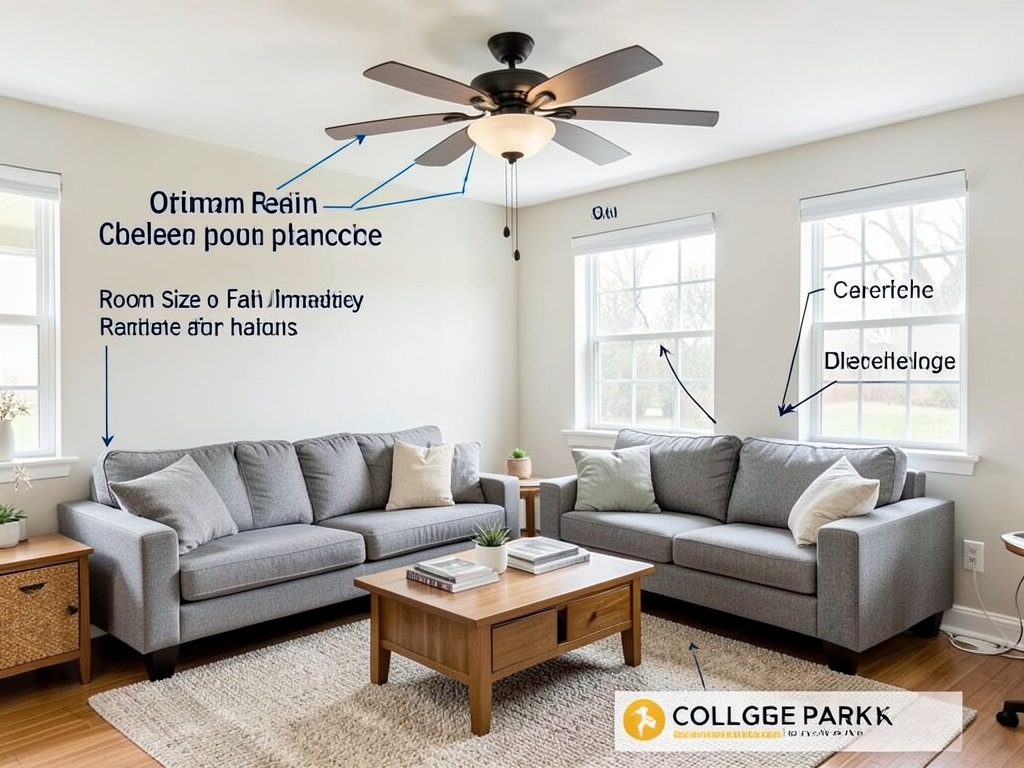
Diagram showing optimal ceiling fan placement in a typical College Park living room, including recommended mounting height and blade clearance from walls.
Common ceiling fan mistakes College Park homeowners make
Over the years, I’ve seen the same mistakes repeated in College Park homes. Let me save you from making these costly errors.
First mistake: Installing fans that are too small for the room. A 42-inch fan in a 300-square-foot living room won’t move enough air to create the wind-chill effect. You’ll just have a spinning decoration that wastes electricity.
Second mistake: Running fans in empty rooms. Remember, fans cool people, not spaces. Leaving fans on in unoccupied rooms is pure waste. Install occupancy sensors or make it a household habit to turn them off when leaving.
Third mistake: Ignoring humidity. When Orlando’s humidity climbs above 60%, fans alone can’t maintain comfort. You’ll need your AC running to dehumidify the air. The fans then circulate that dehumidified air for maximum comfort.
Fourth mistake: Wrong blade direction. In summer, blades should rotate counterclockwise to push air straight down. In winter, reverse them to clockwise to pull cool air up and push warm air down from the ceiling. Many homeowners never change this setting.
Fifth mistake: DIY installation without proper support. I mentioned this earlier, but it bears repeating. A fan spinning at 200 RPM creates significant centrifugal force. If it’s not mounted in a fan-rated box anchored to a ceiling joist, it can fail catastrophically.
Let me give you a real-world example from a recent College Park job:
We were called to a home where the living room felt stuffy despite having a ceiling fan. The homeowner was running the AC constantly but still uncomfortable. Our diagnostic revealed several issues: the fan was too small for the room (42 inches for a 400-square-foot space), it was mounted in a standard electrical box, and the blades were set to winter mode in July.
We replaced it with a properly sized 52-inch Energy Star fan, installed a fan-rated box, set the blades to summer mode, and adjusted the thermostat from 72 to 78 degrees. The homeowner reported feeling more comfortable while seeing a 17% reduction in their next electric bill.
This is the kind of practical, local knowledge that makes the difference between theory and real savings.
Smart home integration for maximum efficiency
The latest smart ceiling fans can communicate with your smart thermostat to automate the 4-degree rule. When your Ecobee or Nest detects that you’re home, it can turn on the appropriate fans and adjust the temperature automatically.
Some models even have humidity sensors built in. When indoor humidity climbs above your setpoint, the fan automatically slows down to allow your AC to catch up on dehumidification. This prevents that sticky feeling that makes Orlando summers miserable.
Here’s how a smart system optimizes your College Park home:
- Geofencing detects when you’re approaching home and pre-cools the space
- Room sensors identify which areas need cooling vs. just air circulation
- Humidity monitoring prevents the “cold but clammy” problem
- Energy usage tracking shows you exactly how much you’re saving
- Integration with utility time-of-use rates to minimize costs
The initial investment for a smart ceiling fan system runs about $300-500 per room. But when combined with the thermostat adjustments, many homeowners see payback in 2-3 years through energy savings.
Let me show you what this looks like in practice:
Photo of a smart ceiling fan installation showing the integrated control module, humidity sensor, and connection to smart home system in a College Park bedroom.
Maintenance tips for long-term efficiency
Even the best ceiling fan installation needs maintenance. Here’s what I recommend for College Park homeowners:
Clean the blades every 3 months. Orlando’s humidity means dust and grime build up quickly. Dirty blades don’t move air as efficiently and can cause the motor to work harder. Use a microfiber cloth with a mild cleaner – never spray directly on the motor housing.
Check the blade balance annually. Over time, blades can warp slightly due to humidity changes. An unbalanced fan wobbles, creates noise, and wears out bearings faster. Most fans come with balancing kits – use them if you notice any wobble.
Inspect the mounting hardware every 6 months. The constant vibration can loosen screws over time. Check the downrod set screws, blade mounting screws, and the connection to the electrical box. A quick turn with a screwdriver prevents bigger problems later.
Test the reverse switch seasonally. It’s easy to forget this small switch on the fan housing. Make it a habit to flip it when you change your clocks for daylight saving time.
Listen for unusual noises. A healthy fan should be nearly silent. Clicking, grinding, or humming sounds indicate bearing wear or electrical issues. Address these early before they become expensive repairs.
For College Park’s older homes, I also recommend checking the electrical connections annually. The combination of heat, humidity, and vibration can cause wire nuts to loosen over time. This isn’t just about efficiency – it’s about safety.
When ceiling fans aren’t enough: The humidity factor
There are times when ceiling fans plus thermostat adjustment won’t solve your comfort problems. Here’s when you need to call in professional help:
If your home feels clammy even with the AC running, you may have an undersized system or ductwork issues. Your AC needs to run long enough to remove moisture from the air. If it’s cycling on and off too quickly, it’s cooling but not dehumidifying.
If certain rooms stay hot while others are comfortable, you may have airflow imbalances. This is common in College Park’s older homes with added rooms or converted spaces. A professional can balance your system and may recommend zoning.
If your electric bills are still high despite using fans and raising the thermostat, you may have duct leaks, poor insulation, or an inefficient AC unit. A professional energy audit can identify these issues.
If you notice water stains on your ceiling around fan installations, you may have roof leaks or condensation issues. The moisture can damage your ceiling and create mold problems.
These are signs that your cooling strategy needs professional evaluation. The 4-degree rule works great when your system is properly sized and maintained, but it can’t overcome fundamental HVAC problems.
Your College Park cooling strategy
Let me summarize the most effective cooling strategy for College Park homes:
- Install properly sized, Energy Star certified ceiling fans in main living areas and bedrooms
- Set your thermostat to 78 degrees in summer instead of 74
- Run fans only in occupied rooms to maximize the wind-chill effect
- Clean and maintain fans regularly for optimal efficiency
- Have your AC system professionally serviced annually to ensure proper dehumidification
- Consider smart fans and thermostats for automated optimization
- Address any humidity or airflow issues with professional help
This strategy typically reduces cooling costs by 15-25% while maintaining or improving comfort. The initial investment in quality fans pays for itself in energy savings within 2-4 years.
But here’s the most important thing to remember: ceiling fans are part of your cooling strategy, not a replacement for your AC. In Orlando’s climate, you need both working together to stay comfortable and control humidity.
If you’re experiencing comfort issues despite using fans and adjusting your thermostat, it’s time for a professional evaluation. Many College Park homes have unique challenges due to their age and construction that require expert diagnosis.
Don’t let another summer of high electric bills and comfort issues pass by. The solution might be simpler than you think, but it requires understanding how these systems actually work together in our specific climate.
Ready to optimize your College Park home’s cooling system? Call (321) 463-7979 today to schedule your professional evaluation. We’ll show you exactly how to combine ceiling fans and AC for maximum comfort and efficiency in your specific home.
Pick up the phone and call (321) 463-7979 before the next heat wave hits. Your comfort and your wallet will thank you.
Frequently Asked Questions
Do ceiling fans actually cool the room?
No, ceiling fans cool people through the wind-chill effect. They don’t lower room temperature. Always turn them off in unoccupied rooms to save energy.
How much can I save by raising my thermostat 4 degrees?
You can typically save 3-5% on cooling costs for each degree you raise your thermostat. Combined with ceiling fans, this often results in 15-25% savings without sacrificing comfort.
What size ceiling fan do I need for my room?
For rooms under 75 square feet, use 29-36 inch fans. For 76-144 square feet, use 36-42 inch fans. For larger rooms, use 44-54 inch fans. The fan should be 12-14 inches from the ceiling and 18 inches from walls.
Are DC motor fans worth the extra cost?
Yes, DC motor fans use up to 70% less energy while moving more air. They’re quieter and often come with smart features. The higher upfront cost typically pays for itself in 2-3 years through energy savings. For more information, visit Florida Building Code Energy Conservation standards.
{
“@context”: “https://schema.org”,
“@type”: “BlogPosting”,
“headline”: “The truth about how ceiling fans actually affect your College Park cooling bills”,
“description”: “Learn how ceiling fans cool you not your room and save 15-25% on College Park cooling bills by combining fans with smart thermostat adjustments.”,
“wordCount”: 2653,
“datePublished”: “2026-05-30T11:31:00.000Z”,
“dateModified”: “2026-05-30T11:31:00.000Z”,
“inLanguage”: “en-US”,
“mainEntityOfPage”: {
“@type”: “WebPage”,
“@id”: “https://summithvacorlando.com”
},
“publisher”: {
“@type”: “LocalBusiness”,
“name”: “Summit HVAC Orlando”,
“url”: “https://summithvacorlando.com”
},
“author”: {
“@type”: “Organization”,
“name”: “Summit HVAC Orlando”,
“url”: “https://summithvacorlando.com”
},
“image”: {
“@type”: “ImageObject”,
“url”: “https://summithvacorlando.com/wp-content/uploads/2026/03/the-truth-about-how-ceiling-fans-actually-affect-y-1.png”
}
}
{
“@context”: “https://schema.org”,
“@type”: “HVACBusiness”,
“name”: “Summit HVAC Orlando”,
“url”: “https://summithvacorlando.com”,
“address”: {
“@type”: “PostalAddress”,
“addressLocality”: “Orlando”
},
“areaServed”: {
“@type”: “City”,
“name”: “Orlando”
}
}
{
“@context”: “https://schema.org”,
“@type”: “FAQPage”,
“mainEntity”: [
{
“@type”: “Question”,
“name”: “Do ceiling fans actually cool the room?”,
“acceptedAnswer”: {
“@type”: “Answer”,
“text”: “No, ceiling fans cool people through the wind-chill effect. They don’t lower room temperature. Always turn them off in unoccupied rooms to save energy.”
}
},
{
“@type”: “Question”,
“name”: “How much can I save by raising my thermostat 4 degrees?”,
“acceptedAnswer”: {
“@type”: “Answer”,
“text”: “You can typically save 3-5% on cooling costs for each degree you raise your thermostat. Combined with ceiling fans, this often results in 15-25% savings without sacrificing comfort.”
}
},
{
“@type”: “Question”,
“name”: “What size ceiling fan do I need for my room?”,
“acceptedAnswer”: {
“@type”: “Answer”,
“text”: “For rooms under 75 square feet, use 29-36 inch fans. For 76-144 square feet, use 36-42 inch fans. For larger rooms, use 44-54 inch fans. The fan should be 12-14 inches from the ceiling and 18 inches from walls.”
}
},
{
“@type”: “Question”,
“name”: “Are DC motor fans worth the extra cost?”,
“acceptedAnswer”: {
“@type”: “Answer”,
“text”: “Yes, DC motor fans use up to 70% less energy while moving more air. They’re quieter and often come with smart features. The higher upfront cost typically pays for itself in 2-3 years through energy savings. For more information, visit Florida Building Code Energy Conservation standards.”
}
}
]
}
{
“@context”: “https://schema.org”,
“@type”: “HowTo”,
“name”: “Ceiling Fan Installation Assessment”,
“step”: [
{
“@type”: “HowToStep”,
“position”: 1,
“name”: “Measure Ceiling Height”,
“text”: “Verify minimum 7-foot clearance from floor to blade bottom. Measure from highest point if ceiling is sloped.”
},
{
“@type”: “HowToStep”,
“position”: 2,
“name”: “Check Electrical Box Rating”,
“text”: “Ensure the existing box is rated for ceiling fan support (marked \”FC\” or \”fan-rated\”). Standard light boxes won’t hold a moving fan.”
},
{
“@type”: “HowToStep”,
“position”: 3,
“name”: “Evaluate Room Size vs. Fan Diameter”,
“text”: “Rooms under 75 square feet need 29-36 inch fans. Medium rooms (76-144 sq ft) need 36-42 inch fans. Large rooms need 44-54 inch fans.”
},
{
“@type”: “HowToStep”,
“position”: 4,
“name”: “Assess Humidity Exposure”,
“text”: “Rooms with windows or outdoor access may need moisture-rated fans to prevent corrosion in Orlando’s humid climate.”
},
{
“@type”: “HowToStep”,
“position”: 5,
“name”: “Verify Wall Switch Compatibility”,
“text”: “Ensure the existing switch can handle the fan’s amperage draw. Some older switches may need replacement.”
}
],
“image”: “https://summithvacorlando.com/wp-content/uploads/2026/03/the-truth-about-how-ceiling-fans-actually-affect-y-1.png”
}
{
“@context”: “https://schema.org”,
“@type”: “BreadcrumbList”,
“itemListElement”: [
{
“@type”: “ListItem”,
“position”: 1,
“name”: “Home”,
“item”: “https://summithvacorlando.com”
},
{
“@type”: “ListItem”,
“position”: 2,
“name”: “Blog”,
“item”: “https://summithvacorlando.com/blog”
},
{
“@type”: “ListItem”,
“position”: 3,
“name”: “The truth about how ceiling fans actually affect your College Park cooling bills”
}
]
}
{
“@context”: “https://schema.org”,
“@type”: “Service”,
“serviceType”: “HVAC”,
“provider”: {
“@type”: “LocalBusiness”,
“name”: “Summit HVAC Orlando”,
“url”: “https://summithvacorlando.com”
},
“areaServed”: {
“@type”: “City”,
“name”: “Orlando”
},
“description”: “Learn how ceiling fans cool you not your room and save 15-25% on College Park cooling bills by combining fans with smart thermostat adjustments.”
}