
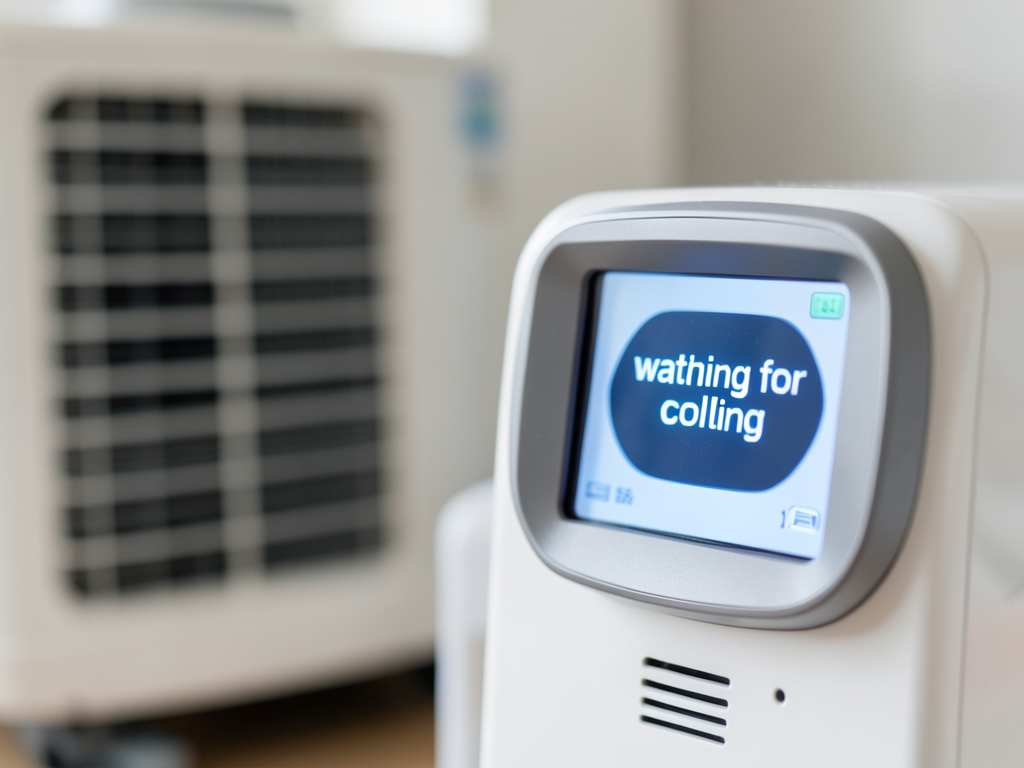
What to do if your St. Cloud thermostat says waiting for more than five minutes
Your thermostat displays ‘waiting for cooling’ and your home feels like an oven. This common message in St. Cloud homes usually means your system protects itself from damage. Sometimes it signals a real problem that needs professional attention. Professional duct cleaning services for historic homes in Thornton Park.
The ‘waiting’ message appears when your thermostat enters a compressor delay mode. This five-minute safety timer prevents your air conditioner from turning on too quickly after a power interruption or when switching from heat to cool. In Orlando’s extreme heat this delay protects the compressor from pressure surges that can destroy it in seconds.
Why your thermostat says ‘waiting for cooling’
Most St. Cloud homeowners see this message during afternoon thunderstorms when power flickers or when they adjust thermostat settings. The delay prevents short cycling which is when the compressor turns on and off rapidly. Short cycling destroys compressors faster than any other operating condition.
According to Florida Building Code Section 601.1 all residential HVAC systems must include compressor short-cycle protection. This code requirement exists because Florida’s high heat and humidity create the exact conditions that damage compressors without these delays. Florida Building Code Section 601.1.
Common causes of the ‘waiting’ message
Power interruptions from afternoon storms cause most ‘waiting’ messages in St. Cloud. When lightning strikes nearby or utility crews work on lines your system loses power momentarily. The thermostat must wait five minutes before restarting to protect internal components.
Thermostat resets also trigger the delay. Changing temperature settings rapidly switching between heating and cooling modes or replacing batteries can all cause your system to enter the waiting state. The five-minute timer ensures the compressor equalizes pressure before restarting.
Brand-specific troubleshooting steps
Nest thermostats display ‘Cool On’ with a blinking snowflake when waiting. Honeywell thermostats show ‘Waiting for Equipment’ or simply ‘Waiting’. Ecobee units display ‘Equipment Status: Waiting’. Each brand uses slightly different terminology but the five-minute delay applies universally.
Carrier and Trane systems often include additional diagnostic codes. If your thermostat shows a number code alongside ‘waiting’ this indicates a specific error that requires professional diagnosis. These codes help technicians identify problems without invasive testing.
Checking your thermostat wiring
Many ‘waiting’ issues in St. Cloud homes stem from loose or corroded thermostat wires. The Y wire controls cooling calls while the C wire provides continuous power. Without a proper C wire connection your thermostat may enter waiting mode randomly as it struggles to maintain power.
Inspect the wire connections at your air handler. Loose terminals cause intermittent power loss triggering the five-minute delay repeatedly. This creates a frustrating cycle where your system never actually cools your home.
Five DIY steps to try before calling for help
Before assuming your system needs major repairs try these simple steps that solve most ‘waiting’ issues in St. Cloud homes. Fast and affordable AC leak repair in Altamonte Springs.
- Check the air filter
A clogged filter restricts airflow and can cause your system to shut down as a safety measure. Replace your filter if it appears dirty or hasn’t been changed in over 30 days.
- Inspect the outdoor condenser
Clear any debris leaves or grass clippings from around your condenser unit. Blocked airflow causes overheating and system shutdowns. Ensure at least two feet of clearance around the unit.
- Verify the circuit breaker
Check your electrical panel for tripped breakers. AC systems often trip breakers during power surges. Reset any tripped breakers but if they trip again immediately call a professional.
- Examine the float switch
Florida’s high humidity causes condensation that fills drain pans. Most St. Cloud homes have float switches that shut down the system when water levels get too high. Check for standing water in the drain pan.
- Test thermostat batteries
Low batteries cause erratic thermostat behavior. Replace batteries even if your display still works as low voltage causes communication errors with your HVAC system.
When ‘waiting’ means a major repair is needed
If your thermostat shows ‘waiting’ for more than five minutes repeatedly you likely have a mechanical issue. Common problems in St. Cloud’s climate include failed capacitors seized contactors and refrigerant leaks.
Capacitors store electrical energy to start your compressor and fan motors. Florida’s heat accelerates capacitor failure. A bulging or leaking capacitor cannot provide the jolt needed to start your system causing the waiting message to persist indefinitely.
Contactor switches control power to your outdoor unit. Corrosion from salt air and humidity causes contactors to stick or fail. A failed contactor prevents your condenser from receiving power making your thermostat appear to wait forever.
Signs you need professional service
Hear clicking sounds from your outdoor unit without the fan starting? This indicates a failed capacitor or contactor. Smell burning plastic near your air handler? This suggests electrical component failure. See ice on refrigerant lines? This points to low refrigerant or airflow problems.
St. Cloud’s sandy soil causes outdoor unit pads to settle unevenly. This misalignment strains refrigerant lines and electrical connections leading to intermittent failures that trigger the waiting message. Leveling your unit often resolves these issues.
Emergency AC repair in St. Cloud
When your thermostat says ‘waiting’ during a 95-degree afternoon every minute matters. Summit HVAC Orlando provides 24/7 emergency service throughout St. Cloud and surrounding areas. Our NATE-certified technicians carry common replacement parts on every truck. NATE-certified technicians.
We understand Orlando’s unique climate challenges. Our diagnostic process includes checking for power surge damage which occurs frequently during summer thunderstorms. We also inspect condensate drain lines which clog more often in St. Cloud’s high-humidity environment than in drier climates.
Don’t let a simple thermostat message turn into a complete system failure. Call (321) 463-7979 today to schedule your inspection before the next storm hits. Our technicians arrive within two hours for emergency calls in St. Cloud. Emergency Furnace Repair.
Preventing future ‘waiting’ messages
Regular maintenance prevents most thermostat waiting issues. Schedule annual tune-ups before summer heat arrives. During these visits technicians clean condenser coils check refrigerant levels and test electrical components that commonly fail in Florida’s climate.
Install a whole-home surge protector to prevent power-related waiting messages. Florida thunderstorms cause more electrical damage than any other weather event. Surge protectors safeguard your entire HVAC system including the sensitive electronics in modern thermostats.
Consider upgrading to a smart thermostat with better diagnostic capabilities. Modern units can identify specific problems and sometimes resolve them through software updates. They also provide energy usage data that helps optimize your system’s performance. smart thermostat benefits.
Understanding your HVAC warranty
Most manufacturer warranties cover compressor failures but not the underlying causes like power surges or maintenance neglect. Read your warranty terms carefully. Some require annual professional maintenance to remain valid.
Extended warranties often cover diagnostic fees and labor costs. If your system is under five years old repair costs might be partially covered. Keep all maintenance records as warranty claims require proof of proper care.
Frequently Asked Questions
How long should my thermostat say ‘waiting’ before I worry?
Five minutes is normal. If the message persists beyond ten minutes check basic items like filters and breakers. After fifteen minutes without cooling professional diagnosis is needed.
Can I bypass the five-minute delay?
No. The delay protects your compressor from damage. Bypassing it voids warranties and risks expensive repairs. The delay is a safety feature not a malfunction.
Why does my thermostat reset to waiting after power outages?
Power interruptions trigger the safety timer automatically. Your system must wait five minutes after any power loss to prevent compressor damage from pressure surges.
Will a new thermostat fix waiting issues?
Not always. While a faulty thermostat can cause problems most waiting issues stem from electrical or mechanical problems in your HVAC system not the thermostat itself.
How much does it cost to fix waiting thermostat problems?
Simple fixes like capacitor replacement cost $150-300. Major repairs like compressor replacement range from $1,500-3,000. Emergency service calls during peak heat add $100-200 to standard rates.
Remember persistent waiting messages indicate your system needs attention. In St. Cloud’s heat waiting too long can turn a simple repair into a complete system replacement. Call (321) 463-7979 now for fast reliable service from technicians who understand Orlando’s unique HVAC challenges.
{
“@context”: “https://schema.org”,
“@type”: “BlogPosting”,
“headline”: “What to do if your St. Cloud thermostat says waiting for more than five minutes”,
“description”: “If your St. Cloud thermostat says ‘waiting’ for over 5 minutes call Summit HVAC Orlando at (321) 463-7979 for fast 24/7 emergency service.”,
“wordCount”: 1377,
“datePublished”: “2026-06-13T14:13:00.000Z”,
“dateModified”: “2026-06-13T14:13:00.000Z”,
“inLanguage”: “en-US”,
“mainEntityOfPage”: {
“@type”: “WebPage”,
“@id”: “https://summithvacorlando.com”
},
“publisher”: {
“@type”: “LocalBusiness”,
“name”: “Summit HVAC Orlando”,
“url”: “https://summithvacorlando.com”
},
“author”: {
“@type”: “Organization”,
“name”: “Summit HVAC Orlando”,
“url”: “https://summithvacorlando.com”
},
“image”: {
“@type”: “ImageObject”,
“url”: “https://summithvacorlando.com/wp-content/uploads/2026/03/what-to-do-if-your-st-cloud-thermostat-says-waitin-1.png”
}
}
{
“@context”: “https://schema.org”,
“@type”: “HVACBusiness”,
“name”: “Summit HVAC Orlando”,
“url”: “https://summithvacorlando.com”,
“address”: {
“@type”: “PostalAddress”,
“addressLocality”: “Orlando”
},
“areaServed”: {
“@type”: “City”,
“name”: “Orlando”
}
}
{
“@context”: “https://schema.org”,
“@type”: “FAQPage”,
“mainEntity”: [
{
“@type”: “Question”,
“name”: “How long should my thermostat say ‘waiting’ before I worry?”,
“acceptedAnswer”: {
“@type”: “Answer”,
“text”: “Five minutes is normal. If the message persists beyond ten minutes check basic items like filters and breakers. After fifteen minutes without cooling professional diagnosis is needed.”
}
},
{
“@type”: “Question”,
“name”: “Can I bypass the five-minute delay?”,
“acceptedAnswer”: {
“@type”: “Answer”,
“text”: “No. The delay protects your compressor from damage. Bypassing it voids warranties and risks expensive repairs. The delay is a safety feature not a malfunction.”
}
},
{
“@type”: “Question”,
“name”: “Why does my thermostat reset to waiting after power outages?”,
“acceptedAnswer”: {
“@type”: “Answer”,
“text”: “Power interruptions trigger the safety timer automatically. Your system must wait five minutes after any power loss to prevent compressor damage from pressure surges.”
}
},
{
“@type”: “Question”,
“name”: “Will a new thermostat fix waiting issues?”,
“acceptedAnswer”: {
“@type”: “Answer”,
“text”: “Not always. While a faulty thermostat can cause problems most waiting issues stem from electrical or mechanical problems in your HVAC system not the thermostat itself.”
}
},
{
“@type”: “Question”,
“name”: “How much does it cost to fix waiting thermostat problems?”,
“acceptedAnswer”: {
“@type”: “Answer”,
“text”: “Simple fixes like capacitor replacement cost $150-300. Major repairs like compressor replacement range from $1,500-3,000. Emergency service calls during peak heat add $100-200 to standard rates.”
}
}
]
}
{
“@context”: “https://schema.org”,
“@type”: “HowTo”,
“name”: “DIY Thermostat Troubleshooting Steps”,
“step”: [
{
“@type”: “HowToStep”,
“position”: 1,
“name”: “Check the air filter”,
“text”: “A clogged filter restricts airflow and can cause your system to shut down as a safety measure. Replace your filter if it appears dirty or hasn’t been changed in over 30 days.”
},
{
“@type”: “HowToStep”,
“position”: 2,
“name”: “Inspect the outdoor condenser”,
“text”: “Clear any debris leaves or grass clippings from around your condenser unit. Blocked airflow causes overheating and system shutdowns. Ensure at least two feet of clearance around the unit.”
},
{
“@type”: “HowToStep”,
“position”: 3,
“name”: “Verify the circuit breaker”,
“text”: “Check your electrical panel for tripped breakers. AC systems often trip breakers during power surges. Reset any tripped breakers but if they trip again immediately call a professional.”
},
{
“@type”: “HowToStep”,
“position”: 4,
“name”: “Examine the float switch”,
“text”: “Florida’s high humidity causes condensation that fills drain pans. Most St. Cloud homes have float switches that shut down the system when water levels get too high. Check for standing water in the drain pan.”
},
{
“@type”: “HowToStep”,
“position”: 5,
“name”: “Test thermostat batteries”,
“text”: “Low batteries cause erratic thermostat behavior. Replace batteries even if your display still works as low voltage causes communication errors with your HVAC system.”
}
],
“image”: “https://summithvacorlando.com/wp-content/uploads/2026/03/what-to-do-if-your-st-cloud-thermostat-says-waitin-1.png”
}
{
“@context”: “https://schema.org”,
“@type”: “BreadcrumbList”,
“itemListElement”: [
{
“@type”: “ListItem”,
“position”: 1,
“name”: “Home”,
“item”: “https://summithvacorlando.com”
},
{
“@type”: “ListItem”,
“position”: 2,
“name”: “Blog”,
“item”: “https://summithvacorlando.com/blog”
},
{
“@type”: “ListItem”,
“position”: 3,
“name”: “What to do if your St. Cloud thermostat says waiting for more than five minutes”
}
]
}
{
“@context”: “https://schema.org”,
“@type”: “Service”,
“serviceType”: “HVAC”,
“provider”: {
“@type”: “LocalBusiness”,
“name”: “Summit HVAC Orlando”,
“url”: “https://summithvacorlando.com”
},
“areaServed”: {
“@type”: “City”,
“name”: “Orlando”
},
“description”: “If your St. Cloud thermostat says ‘waiting’ for over 5 minutes call Summit HVAC Orlando at (321) 463-7979 for fast 24/7 emergency service.”
}